
I’m not a power user of IIS, so when I do use it, I sometimes need a reminder of how to find something. Recently, I wanted to view the logs of a site, that was running in IIS. IIS also contained several other web and ftp sites. The first step was finding the location of the logs. This was actually pretty easy.
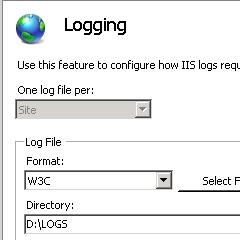
In the IIS console, just open logging, and you can see the location of the logs. Here, it’s D:\LOGS:
I went to D:\LOGS, and found this:
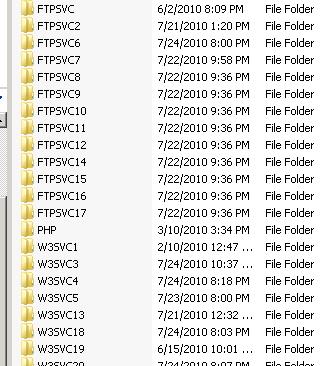
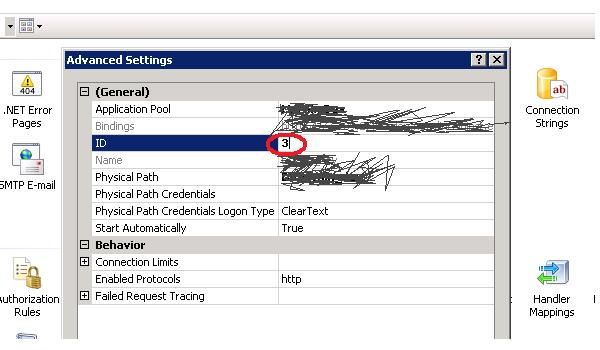
So how do I equate the particular website I want the logs for with the log directory? In the IIS Console, select your site. In the Manage Web Site section of the screen, click on the Advanced Settings link. This will bring up a dialog box. The 3rd value in the box is the site’s service ID. Here it’s 3. This equates to a log directory. Because I happen to be looking at a web site, the log directory for my site is W3SVC3. If the ID were 18, it would be W3SVC18, and if the site were an ftp site, it would be FTPSVC18.
 In the sludgy, squdgy creek
I’ve often wondered about this – Useful post. Thank you.
You’d think it would be a little more obvious to find. Thanks for the post